

This quickstart walks you through generating an image using Runpod Public Endpoints. You’ll use the Flux Schnell model, which is optimized for fast generation.Documentation Index
Fetch the complete documentation index at: https://runpod-b18f5ded-promptless-remove-flash-beta-notification.mintlify.app/llms.txt
Use this file to discover all available pages before exploring further.
Requirements
- A Runpod account with at least $1 in credits
- A Runpod API key
Step 1: Generate an image in the playground
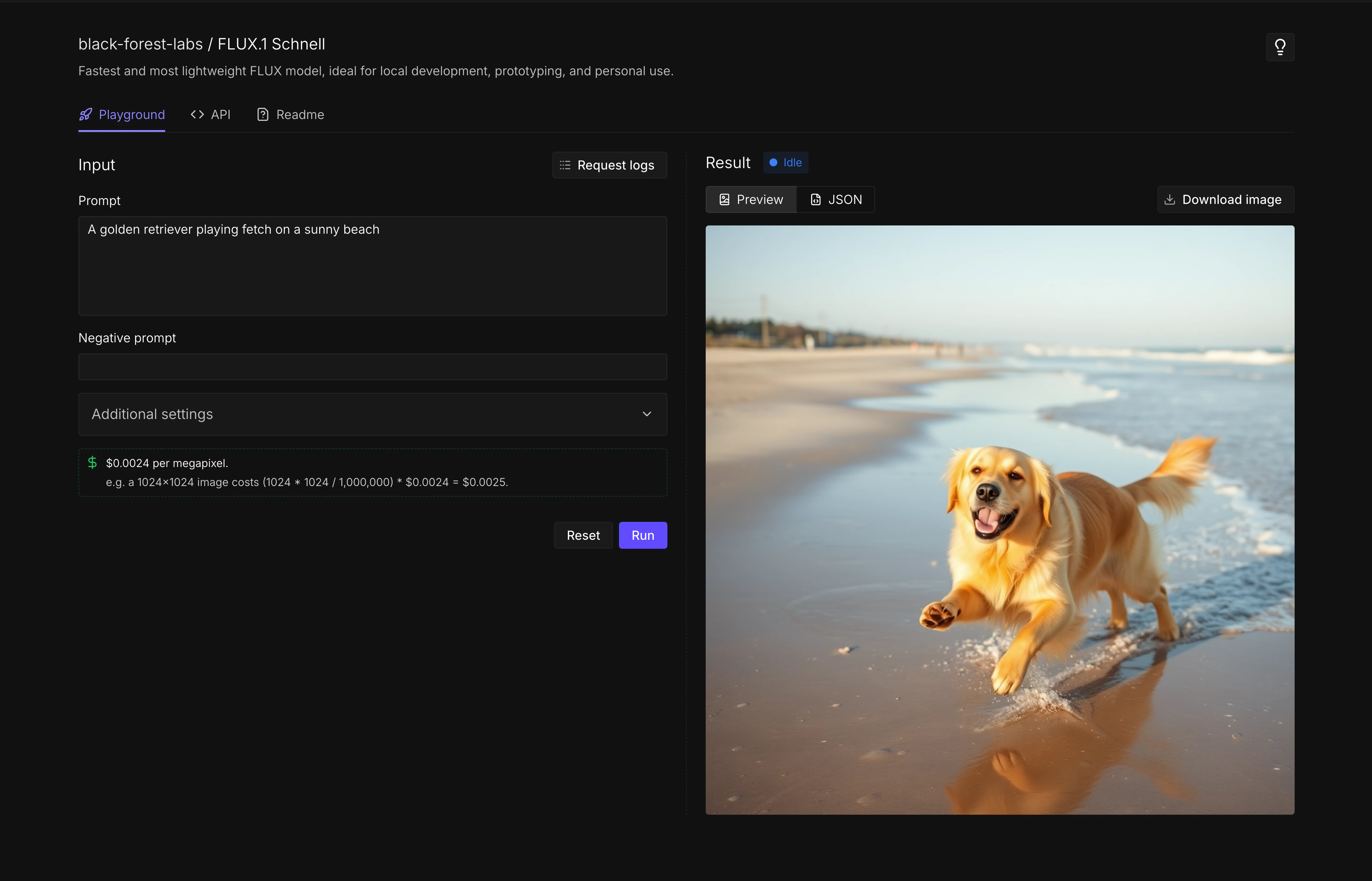
The fastest way to test Public Endpoints is through the browser-based playground.- Go to the Flux Schnell endpoint in the Runpod console.
- Under Input, enter a prompt:
A golden retriever playing fetch on a sunny beach(or any other prompt you like). - Click Run.
- Wait a few seconds for the image to generate. The result appears under Result.
Step 2: Generate an image with the API
Now let’s generate an image programmatically using the REST API.- cURL
- Python
- Open a terminal on your local machine.
- Copy the following command, replacing
YOUR_API_KEYwith your Runpod API key:
- Paste the command into your terminal and press Enter.
- Wait for the response (this takes about 10-20 seconds).
Response
Both methods return a JSON response with your generated image:image_url in your browser to view the generated image.
Next steps
- Make API requests: Learn about async requests, SDKs, and best practices.
- Model reference: Explore all available models and their parameters.
- Connect AI coding tools: Use Public Endpoints with Cursor, Cline, and OpenCode.
- Build a text-to-video pipeline: Chain multiple endpoints to generate videos from text prompts.