

Documentation Index
Fetch the complete documentation index at: https://runpod-b18f5ded-promptless-remove-flash-beta-notification.mintlify.app/llms.txt
Use this file to discover all available pages before exploring further.
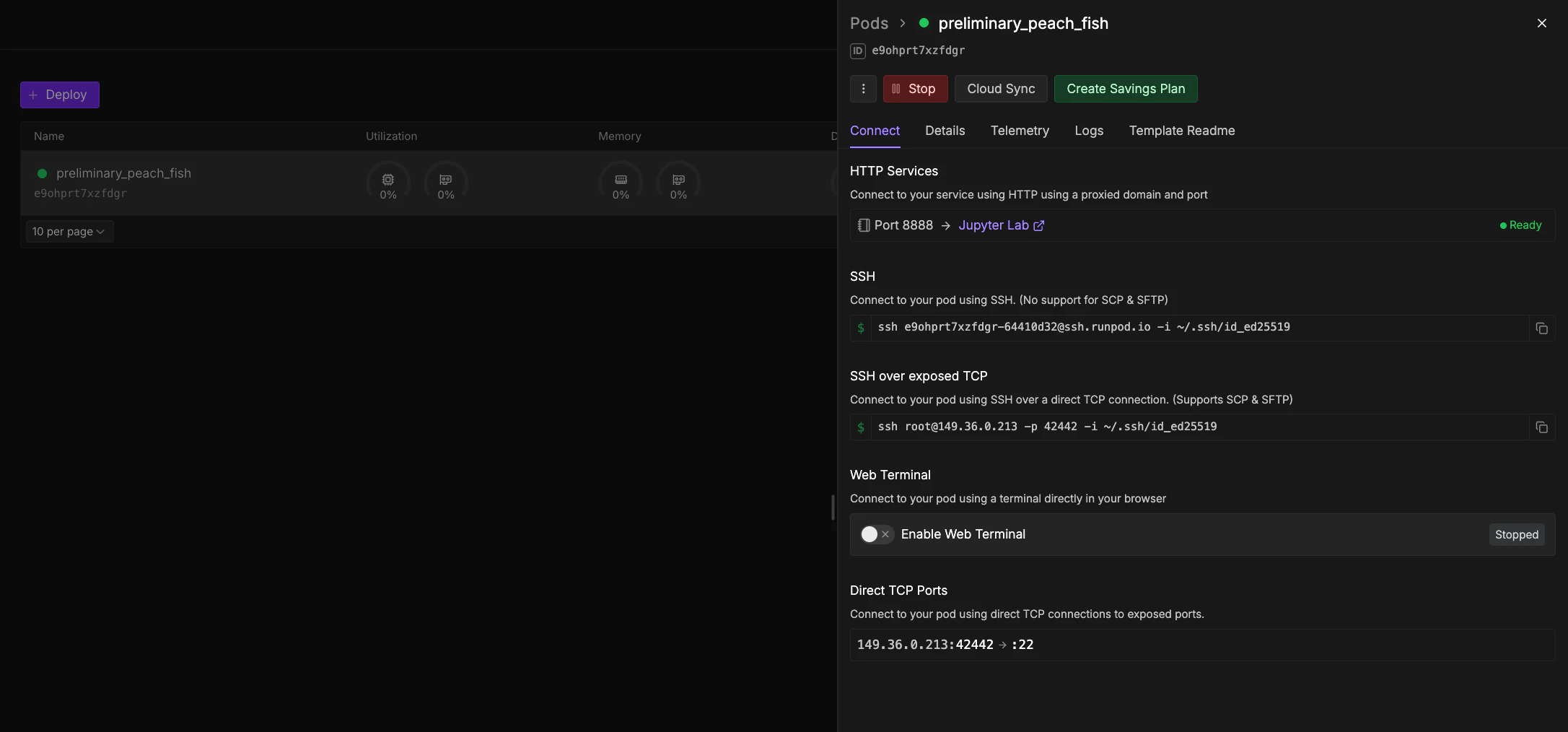
| Method | Best for | Persistence | Setup |
|---|---|---|---|
| Web terminal | Quick commands, debugging | Session-based | None |
| SSH | Long-running processes, reliable access | Persistent | SSH client |
| JupyterLab | Data science, notebooks | Session-based | Template-dependent |
| VS Code/Cursor | Full development environment | Persistent | Extension |
Web terminal
Browser-based terminal for quick access. Not recommended for long-running processes (use SSH instead).- Navigate to the Pods page.
- Expand your Pod and click Connect.
- Click Start if the terminal is stopped, then Open Web Terminal.
JupyterLab
Interactive web environment for code, files, and data analysis. Available on templates with JupyterLab pre-configured (e.g., “Runpod Pytorch”).- Web Console
- CLI
- Deploy a Pod with a JupyterLab-compatible template (all official Runpod PyTorch templates have JupyterLab pre-configured).
- Navigate to the Pods page and click Connect.
- Under HTTP Services, click the Jupyter Lab link (usually port 8888).